Walking Pad Desk Setup Guide: Everything You Need for a Treadmill Desk (2026)
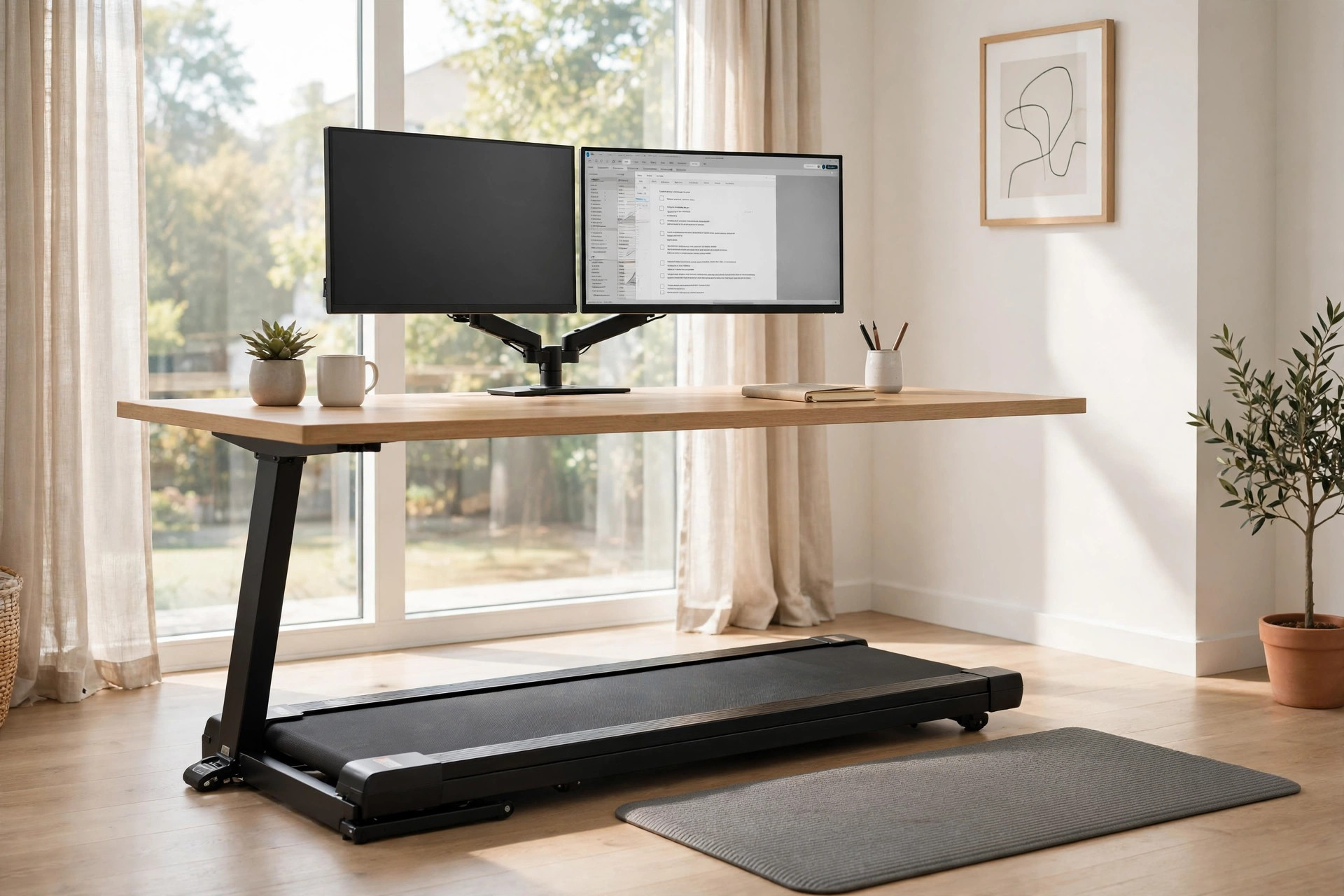
A walking pad under a regular desk does not work. The desk has to reach walking height, the monitor has to sit at the right level for a moving head, and the cables have to survive the desk going up and down twice a day. Get these three things right and the setup disappears into your workday. Get them wrong and the pad ends up folded behind a door.
This guide covers the full setup: the desk, the mat, the monitor arm, cable management, and the ergonomic positions that keep you comfortable for hours. It also covers what not to buy, because treadmill desk accessories are a category full of solutions to problems you do not have.
The complete setup checklist
Everything a treadmill desk needs, in the order that matters:
- Walking pad. Slim, quiet, no handrails. See our roundup.
- Standing desk with enough height range. Must reach 40–48 inches for most walkers. This is the piece people get wrong most often.
- Monitor arm. Gets the screen to eye level while you walk and frees desk space.
- Cable management tray. Keeps power and display cables off the floor as the desk moves.
- Anti-fatigue mat. For standing breaks between walking sessions. Optional if you walk all day, useful if you alternate.
- Shoes or barefoot plan. Supportive flat shoes work. Walking barefoot on a pad for hours gets uncomfortable for most people.
That is the whole list. Everything else is optional.
Standing desks that pair with walking pads
The desk is the foundation. Two requirements are non-negotiable. First, the maximum height must reach your walking elbow height, which runs 40 to 48 inches for most adults. Many budget standing desks top out at 43 inches. That works for standing still and fails for walking. Second, the desk needs enough depth for the pad and room to step on and off without squeezing past the legs.
Stability at height matters more than it does for a regular standing desk. Walking sends vibration through the floor into the desk legs. Dual-motor frames with three-stage legs stay noticeably steadier than single-motor two-stage frames at full extension.
FlexiSpot E7 — the safe default
The FlexiSpot E7 is the most commonly recommended frame for treadmill desks. Dual motors, three-stage legs, height range 22.8 to 48.4 inches, rated for 275 lbs. The 48.4-inch maximum clears walking height for nearly everyone. The anti-collision sensor stops the desk if it hits the walking pad during adjustment, which happens more than people admit.
Frames start around $500 before the desktop, and FlexiSpot runs frequent sales. Bundle pricing with their monitor arms is often cheaper than buying separately. The assembly takes two people and about an hour.
Fezibo dual-motor — the budget pick
Fezibo makes a dual-motor standing desk in the $229 to $279 range with anti-collision and a child lock. It is a genuine height-adjustable desk at roughly half the price of the E7. The tradeoff is stability and longevity. At full height with monitors mounted, it wobbles more than the E7, and the motors are louder.
For a first treadmill desk on a budget, it works. If you walk daily, the sturdier frame pays for itself in the second year.
Anti-fatigue mat
You do not stand on the mat while walking. The mat is for the hours you stand still between walking sessions. Standing on a hard floor for an hour after two hours of walking is what makes feet ache, and a mat takes the edge off.
The Ergodriven Topo is the standard recommendation. It has been Wirecutter's top pick for standing desk mats for roughly a decade. The contoured surface encourages small position changes instead of static standing, and it slides out from under the desk with one foot when you want to walk. It sells for $109 on sale (list $139). Over 850,000 have sold, which is unusual staying power for an accessory.
Cheaper flat mats in the $20 to $40 range provide cushioning without the contoured surface. If your budget is tight, a basic mat beats no mat.
Monitor arm and screen position
A monitor arm is the upgrade most treadmill desk owners skip and then buy three months later. Sitting the monitor on its factory stand locks the screen height to the desk surface. When the desk rises to walking height, the screen sits too low, and you crane your neck down for hours.
The Ergotron LX is the reference standard for single monitors. It handles 13 to 34 inch displays up to 25 lbs on a gas spring, and carries a 10-year warranty. Street price runs $150 to $180.
Budget options exist. The Monoprice single monitor gas spring arm at around $84 has a long track record, and the North Bayou F80 at $35 to $45 is the cheapest arm worth mounting a real monitor on. Cheap arms sag over time. Check the weight rating against your monitor with the stand removed, and leave headroom.
Ergonomics: desk height, monitor height, keyboard
These are general guidelines, not medical advice. Bodies vary. If something hurts, change it and consider talking to a professional. The wellness disclaimer at the bottom of this page applies to this whole section.
Desk height. Set the desk so your elbows rest at roughly 90 degrees while your hands float over the keyboard. For most adults walking at 1.5 to 2 mph, that lands between 40 and 48 inches from the floor. Start in the middle of that range and adjust over a week. Your shoulders should hang relaxed, not shrugged.
Monitor height. The top of the screen should sit at or slightly below eye level, about an arm's length away. Walking adds gentle head bob, so position the screen slightly farther than you would for sitting. Tilt the screen back a few degrees. Dual monitors should form a slight arc with the primary screen centered.
Keyboard and mouse. Keep them close enough that your elbows stay near your sides. Reaching forward for a mouse is the most common source of shoulder tension in treadmill desk setups. A compact keyboard without a number pad lets the mouse sit closer.
Ease in. Start with 30-minute walking sessions and build up over two to three weeks. Typing accuracy dips for the first week at walking speed. It comes back. Most people settle at 1.5 to 2 mph for focused work.
Cable management
A treadmill desk moves up and down daily. Every cable needs slack and a path that survives the motion. Cables draped to a floor outlet will snag, yank, or slowly pull connectors loose.
Mount a cable tray under the desk surface near the back edge. A basic tray costs $15 to $20 and holds a power strip, which means only one cable runs from the desk to the wall. Bundle monitor power, display cables, and USB into one sleeve with velcro ties, leaving slack near the tray so the bundle flexes instead of pulling.
Route the walking pad's power cable separately along the floor to the side, never under the pad. The pad vibrates and will wear through a cable trapped beneath it. Wireless peripherals earn their keep here. A wireless keyboard and mouse remove two cables from the moving assembly entirely.
What not to buy
A desk that tops out under 46 inches. Check the maximum height in the specifications before ordering. Sellers advertise "standing desk" on frames that reach 43 inches. That is fine for standing and short for walking.
A balance board as a walking pad alternative. Balance boards and walking pads solve different problems. A board keeps you shifting while standing still. It does not replace steps. Buy one if you want one. Do not buy it instead of the pad.
An oversized desk mat under the walking pad. The pad needs a hard flat surface. Thick rubber mats under the pad trap heat and can make the belt slip. If noise is the concern, a thin treadmill mat designed for the purpose works. A deep pile gym mat does not.
A second monitor before the arm. Two monitors on factory stands eat the depth a treadmill desk needs. Get the arm first, then add the screen. The arm is cheaper than the monitor and improves the setup more.
Desk treadmills with built-in consoles. Full treadmill desks with attached consoles cost two to three times a walking pad plus standing desk combo, take up permanent floor space, and lock you into one vendor. The separate components upgrade independently.
Frequently asked questions
Can I use my existing standing desk with a walking pad?
Maybe. Check two numbers: maximum height and depth. The desk must reach your walking elbow height, usually 40 to 48 inches. Many desks marketed for standing top out at 43 inches, which is short for walking. Depth matters too. You need room to step onto the pad without the desk legs in the way. Measure before buying the pad.
How much does a full treadmill desk setup cost?
A reasonable budget breaks down to $170 to $400 for the walking pad, $230 to $500 for the desk, $35 to $180 for the monitor arm, $15 to $20 for cable management, and $20 to $110 for a mat. The full range runs roughly $470 on the lean end to over $1,200 for premium components. Start with pad, desk, and arm. Add the rest later.
Do I need an anti-fatigue mat if I have a walking pad?
Not for walking. The mat is for standing still between walking sessions. If you alternate between walking and standing through the day, a mat makes the standing hours noticeably more comfortable. If you walk the entire workday, skip it.
Will walking while working hurt my productivity?
Typing speed dips for the first week or two, then recovers for most people at 1.5 to 2 mph. Tasks that need fine mouse control, like detailed design work, stay harder while moving. Many people walk during calls, email, and reading, then pause the pad for precision tasks. That split works well.
How do I keep the setup quiet for video calls?
Three things matter: a quiet pad with a brushless motor, walking speed at 2 mph or under during calls, and a mat or rug under the pad to dampen vibration through the floor. Footfall noise bothers call participants more than motor hum. Soft-soled shoes help. Test your setup on a call with a friend before an important meeting.
Prices move. We check regularly but the checkout number may differ. See our affiliate disclosure for how we fund the research.